

The best websites rarely make users think about accessibility. They simply feel easier to navigate, easier to understand and easier to use.
That simplicity matters because the internet has become the front door to banking, shopping, healthcare, education, government services and entrepreneurship. Yet millions of digital experiences still create unnecessary barriers for people who cannot see small text, use a mouse, hear a video or quickly understand a complicated form.
Website accessibility addresses those barriers. More importantly for business leaders, it is not simply a compliance exercise. Accessible web design can improve the experience for almost everyone, from a customer using a screen reader to a commuter checking a website on a phone in bright sunlight.
For companies competing in an increasingly digital global economy, accessibility is becoming part of what good customer experience looks like.
What Is Website Accessibility?
Website accessibility means designing and developing websites so people with different abilities can perceive, understand, navigate and interact with them.
Consider a customer who cannot use a mouse. An accessible website allows that person to move through menus, forms and buttons using a keyboard. A customer with visual impairment may use screen-reading software, which depends on properly structured headings, descriptive links and alternative text for images. Someone with hearing loss benefits from captions and transcripts for video and audio content.
These are not small audiences. The World Health Organization estimates that about 1.3 billion people, or roughly 16% of the global population, experience significant disability.
The international benchmark for accessible websites is the Web Content Accessibility Guidelines, commonly known as WCAG. The World Wide Web Consortium’s WCAG overview explains how the standards help organizations make digital content more accessible. WCAG 2.2 covers areas including visual, hearing, physical and cognitive accessibility and is designed to apply across desktop and mobile experiences.
In practical terms, accessibility often means surprisingly familiar things: readable text, strong color contrast, logical navigation, understandable forms, keyboard controls, useful error messages and clear content.
That is where accessibility and user experience begin to overlap.
Accessibility Often Makes a Website Better for Everyone
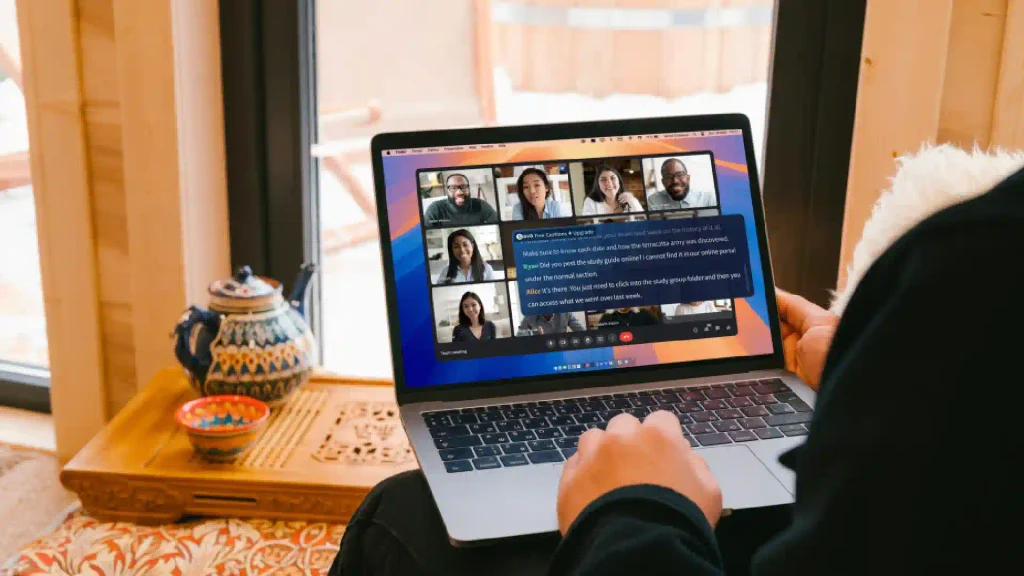
Imagine trying to complete an online payment on a smartphone while standing outside in strong sunlight. Low-contrast text suddenly becomes difficult to read. Or imagine watching a business video in a crowded airport without headphones. Captions become useful even if you have no hearing impairment.
This is sometimes called the “curb-cut effect.” A curb ramp may be designed for wheelchair access, but parents with strollers, travelers pulling luggage and delivery workers also benefit from it. Digital accessibility works in much the same way.
Captions help people in noisy or quiet environments. Large clickable targets make mobile interfaces easier to operate. Clear headings help users scan an article quickly. Straightforward language helps international audiences, people with cognitive disabilities and customers who simply do not have time to decode corporate jargon.
The W3C business case for digital accessibility makes this broader point explicitly: accessible design can provide flexible ways for people to interact with websites and applications, creating options useful to people both with and without disabilities. W3C also identifies innovation, stronger brands, greater market reach and reduced legal risk among the business benefits associated with accessibility.
Accessibility, therefore, should not be viewed as a special version of the customer experience. Done properly, it improves the main experience.
The Accessibility Gap Remains Surprisingly Large
Despite years of discussion around inclusive design, the web still has a substantial accessibility problem.
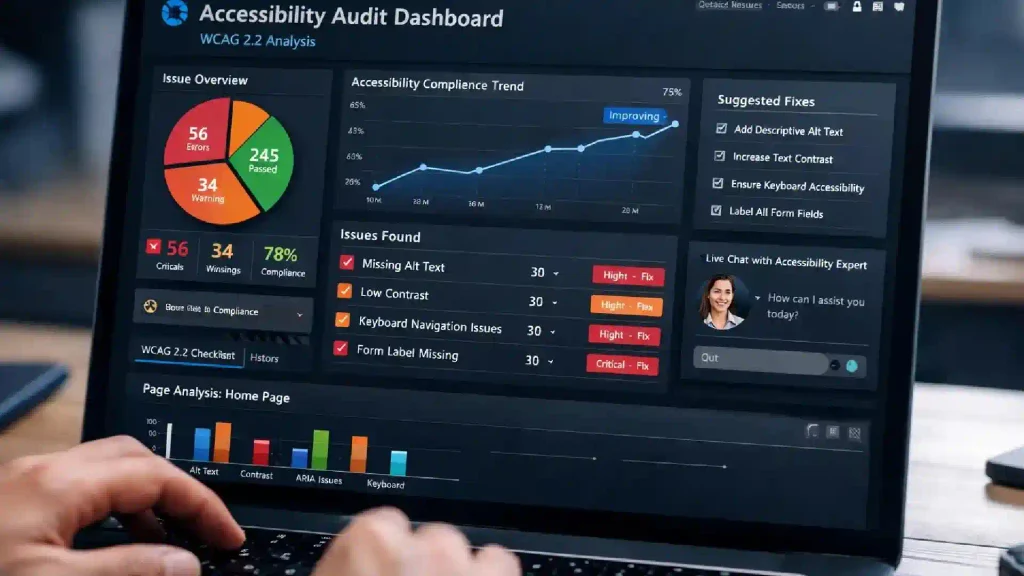
The WebAIM Million 2026 report analyzed the home pages of one million popular websites in February 2026. Its automated testing identified more than 56 million accessibility errors, averaging 56.1 detectable errors per home page. That represented a 10.1% increase from the previous year’s average.
The problems were often basic rather than exotic. WebAIM found low-contrast text on 83.9% of the home pages tested, missing alternative text for images on 53.1%, missing form labels on 51% and empty links on 46.3%. Six common categories accounted for 96% of all detected errors.
Those figures contain an important lesson for entrepreneurs.
Companies do not necessarily need futuristic technology to make meaningful progress. Many improvements involve getting fundamental design and development decisions right.
A form field should tell users what information is required. A button should have a meaningful label. Images that communicate information should have appropriate alternative text. Text and background colors should provide sufficient contrast. Interactive elements should work without requiring precise mouse movements.
Automated accessibility testing can help identify some of these issues, but it cannot determine everything. WebAIM itself warns that automated tools cannot detect every WCAG failure and that a page with no detected errors should not automatically be considered accessible.
Human testing remains essential, particularly testing with people who actually use assistive technologies.
Accessible Design Can Improve Conversion and Customer Journeys
For a business, a website usually exists to help someone accomplish something: buy a product, open an account, make a booking, contact a company, subscribe to a service or learn about an opportunity.
Accessibility barriers interrupt those journeys.
Picture an ecommerce checkout form where fields do not have clear labels. A screen-reader user may struggle to understand what information belongs in each box. Now consider a customer without a disability who is rushing through the same checkout on a small phone screen. Better labels help that customer too.
The same principle applies throughout the conversion funnel.
Clear navigation reduces uncertainty. Descriptive buttons tell customers what happens next. Good contrast makes calls to action easier to identify. Logical headings help users find information faster. Accessible error messages explain exactly what went wrong instead of displaying a vague red warning.
W3C’s accessibility business-case resources note that accessible websites are generally more usable and that improved usability can help visitors achieve their goals more effectively and satisfactorily. Its guidance also connects accessibility with increased website use and potential financial benefits when more people can successfully complete online activities.
The important business principle is simple: every unnecessary obstacle in a customer journey creates another opportunity for abandonment.
Accessibility removes some of those obstacles.
Website Accessibility Expands the Addressable Market
Businesses spend heavily to reach new audiences. They invest in advertising, search optimization, social media, localization and customer acquisition campaigns.
Yet an inaccessible website can spend money attracting customers only to exclude some of them when they arrive.
With roughly one in six people globally experiencing significant disability, according to WHO estimates, accessibility is also a market-reach issue. The opportunity becomes even more significant when businesses consider temporary and situational limitations.
A person may break an arm and temporarily depend on keyboard or voice controls. An older customer may experience declining vision or dexterity. A tourist may struggle with complex language. Someone using a slow connection or small screen may benefit from a cleaner, more structured experience.
For international companies, this becomes particularly important. Digital products increasingly serve customers across different languages, devices, income levels and technological environments. Accessibility encourages businesses to design for that diversity rather than assuming every customer uses the web in the same way.
W3C argues that organizations integrating accessibility are better positioned to reach more people while strengthening inclusion and preparing for evolving legal requirements.
For entrepreneurs, accessibility can therefore be viewed alongside localization and responsive design: a way to make the same digital product work successfully for a broader audience.
Accessibility Is Becoming a Product Management Issue
A common mistake is to treat accessibility as something developers fix shortly before launch.
By then, the expensive decisions may already have been made.
If designers choose inaccessible color combinations, content teams create unclear link text, developers build custom controls that cannot be operated with a keyboard and product managers approve complicated authentication processes, accessibility problems become embedded throughout the product.
The better approach is to consider accessibility from the beginning.
WCAG 2.2 illustrates how broad that responsibility has become. The standard added nine success criteria beyond WCAG 2.1, including requirements addressing target size, dragging movements, consistent help, redundant data entry and accessible authentication.
These are not merely coding concerns. They involve design, content, product strategy and customer experience.
Accessibility therefore works best as a shared responsibility. Designers need accessible component systems. Developers need semantic code and keyboard-friendly interactions. Writers need meaningful headings, links and instructions. Video producers need captions. Procurement teams need accessibility requirements when selecting third-party software.
Leadership matters too. W3C recommends building accessibility into organizational policy, procurement, evaluation and training rather than treating it as a one-time technical project.
That shifts accessibility from remediation to operations.
Five Ways Businesses Can Build More Accessible Websites
Organizations do not need to redesign their entire digital presence overnight. They need a disciplined process that makes accessibility part of continuous improvement.
- Start with the most important customer journeys. Test high-value pages such as registration, checkout, booking, contact forms and account login. A barrier on these pages can directly prevent customers from completing their goals.
- Use WCAG 2.2 as the technical foundation. WCAG provides testable criteria rather than vague ideas about what “accessible” should mean. For many organizations, Level AA is an important practical benchmark, although legal requirements vary by jurisdiction and sector.
- Combine automated and human testing. Automated tools are useful for finding issues such as missing labels, contrast failures and certain structural errors. They cannot fully judge whether a website makes sense to a real person. Keyboard testing, screen-reader testing and usability research with people with disabilities provide essential context.
- Build accessibility into reusable components. If a company fixes one button, menu or form field, it fixes one problem. If it fixes the underlying design-system component, that improvement can spread across hundreds of pages and future products.
- Measure accessibility continuously. Websites change every week. New campaigns, plugins, product features and content can introduce fresh barriers. Accessibility therefore needs monitoring in the same way companies monitor security, performance, SEO and conversion.
The scale of the problem shown by WebAIM’s 2026 research makes continuous monitoring particularly relevant. Web pages are also becoming more complex: WebAIM reported an average of 1,437 elements per home page in its 2026 sample, up 22.5% in a single year.
More complexity creates more opportunities for things to go wrong.
Better Accessibility Is Ultimately Better Customer Experience
Digital accessibility is sometimes framed as a choice between serving a minority of users and focusing resources on the majority. That framing misses how people actually experience technology.
Users move between environments and abilities. They use websites on different devices, in different lighting conditions, with different levels of concentration and with different physical, sensory and cognitive needs.
A website that anticipates those differences is usually a more resilient website.
The most valuable accessibility improvements are often invisible when they work. A keyboard user can reach every control. A screen reader announces a form correctly. A customer understands an error message immediately. A video can be followed without sound. A button is large enough to tap without frustration.
None of those experiences feels exceptional. They simply feel well designed.
For entrepreneurs and business leaders, that is the larger opportunity. Accessibility can expand market reach, strengthen usability, encourage better product development and reduce barriers across the customer journey. It also forces organizations to ask a powerful design question: who might struggle to use what we are building, and why?
The companies that ask that question early can create digital experiences that work for more people from the start.
As websites become more complex and digital services become more central to everyday life, accessibility will increasingly be difficult to separate from product quality itself.
The future of digital experience is not simply faster, smarter or more personalized. It is more inclusive.
FAQs:
1. What is website accessibility?
Website accessibility is the practice of designing and developing websites so people with disabilities can perceive, understand, navigate and interact with digital content. It includes considerations such as keyboard navigation, alternative text, captions, readable contrast, clear forms and compatibility with assistive technologies.
2. How does website accessibility improve user experience?
Accessibility removes unnecessary barriers. Features such as clear navigation, readable text, descriptive buttons, captions and well-designed forms can make websites easier to use for people with disabilities while also improving usability for mobile users, older customers and people experiencing temporary or situational limitations.
3. What is WCAG 2.2?
WCAG 2.2 is a web accessibility standard developed through W3C. It provides testable recommendations for making digital content more accessible to people with visual, auditory, physical and cognitive disabilities.
4. Does website accessibility help businesses?
Yes. Accessibility can help businesses reach a broader audience, improve customer experiences, encourage better digital product design and reduce accessibility-related legal risk. W3C’s business case also identifies innovation, brand enhancement and increased market reach as important benefits.
5. What should a business do first to improve website accessibility?
Start by testing the most important customer journeys, including navigation, registration, checkout, forms and login processes. Use automated testing alongside keyboard and assistive-technology testing, then prioritize barriers that prevent users from completing important tasks. Accessibility should subsequently be incorporated into design systems, development processes, content standards and ongoing quality assurance.